Facebook Twitter Gplus LinkedIn YouTube Google Maps E-mail RSS
Showing posts with label macbook air blu-ray player. Show all posts

6/19/2013

The New MacBook Air Promises “all-day” Battery life

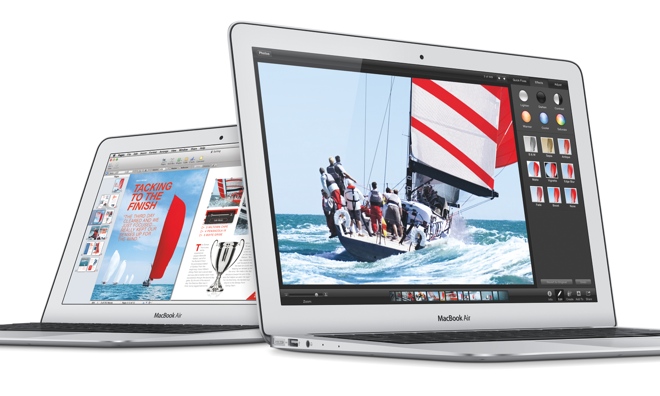
Apple WWDC 2013 (Worldwide Developers Conference) was officially held in San Francisco, on June 10. Besides the updates of iOS and Mac OS X, it also upgrades the new Mac hardware series products, including the MacBook Air and Mac Pro.
Firstly, let’s look at the MacBook Air. There is no doubt that the biggest lightspot of all upgrades in Mac family is the new system OS X Mavericks and the Intel fourth generation 22 nm Haswell processor. Unfortunately, considering kinds of complicated factors such as the slim type, portability, battery life, battery capacity and heat dissipation, the unibody MacBook Air is not equipped with the retina display.
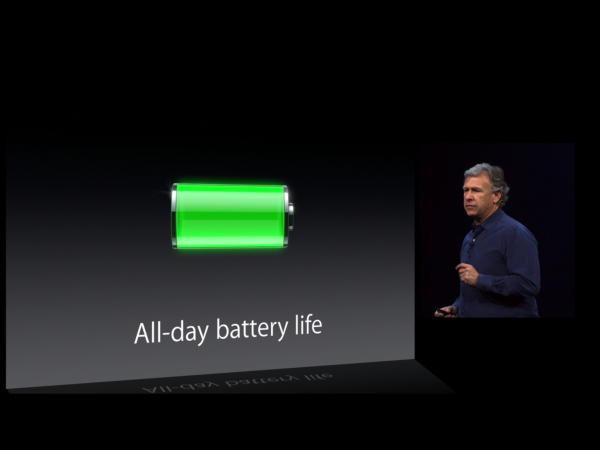
It is just a week since the Intel Haswell processor has officially launched which mainly improved power efficiency and reduced power consumption so as to promote the battery life of laptops. The Haswell processor upgrades the graphics to the Intel HD 5000. This is reported to be 40 percent faster than the HD 4000 used in most laptops today.
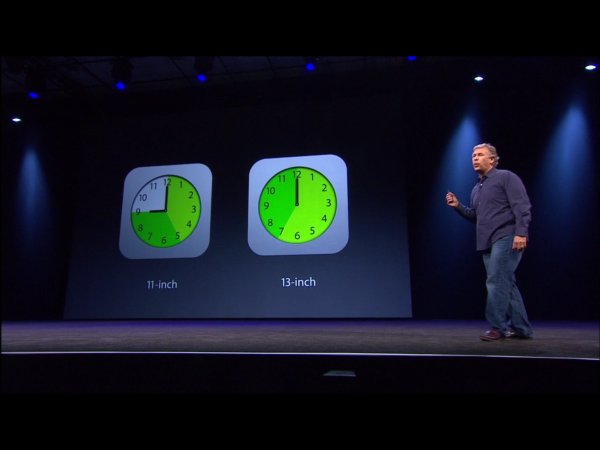
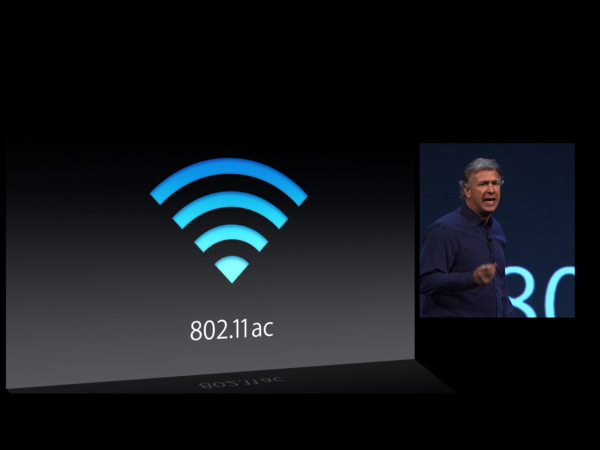
The most significant improvement in the new MacBook Air is the extended battery life due to the Haswell processor which improves twice the GPU performance and 40% CPU performance. Apple is quoting 9 hours for the 11.6-inch model compared to 5 hours in the previous model and 13 inch MacBook Air battery life from 7 hours up to 12 hours. At the same time, there is a built-in latest 802.11ac Wi-Fi module that has speed up three times. Using the latest flash memory, it is faster than 5400 – RPM laptop hard disc up to 9 times, even more increase 45% than the previous generation MacBook Air flash speed.
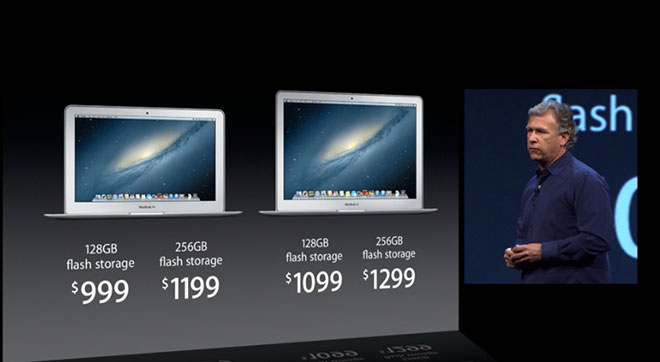
Previously the Airs shipped with 64 GB or 128 GB before installing the operating system and core apps. Both the new 11.6-inch and 13.3-inch Airs ship with 128 GB or 256 GB in the standard retail configurations. The highest optional storage capacity is big enough to 512 GB. Thus one concern some users had about storage space on the base model has been taken away.
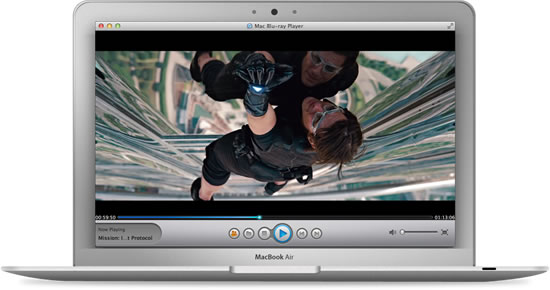
The new MacBook Air does all the major computing tasks with ease, feeling like it is always ready for whatever you throw at it. We cannot deny with a robust operating system and app support, it has already been an ultraportable laptop but not a versatile one. The biggest function vacancy in multimedia is the Blu-ray compatibility. Although mentioned by users for many times, Blu-ray support has still not been on the schedule. Mac Blu-ray Player is the right software when you are looking for solution which could perfectly play Blu-ray Disc, Blu-ray ISO files and Blu-ray folders with ultrafast loading and super high quality on Mac. Only equipped with this unique Blu-ray media player can you easily enjoy an up to 1080p high-definition quality video and best-in-class DTS5.1 system output audio entertainment on your new MacBook Air for 8 or 10 hours stably and continuously. By the way, the new released OS X 10.9 is also perfectly supported by this MacBook Air Blu-ray Player.
If you want a machine with the biggest numbers on the spec sheet, look elsewhere. But if you want something that makes your life easier, and is always there for you, it’s hard to look beyond the MacBook Air.
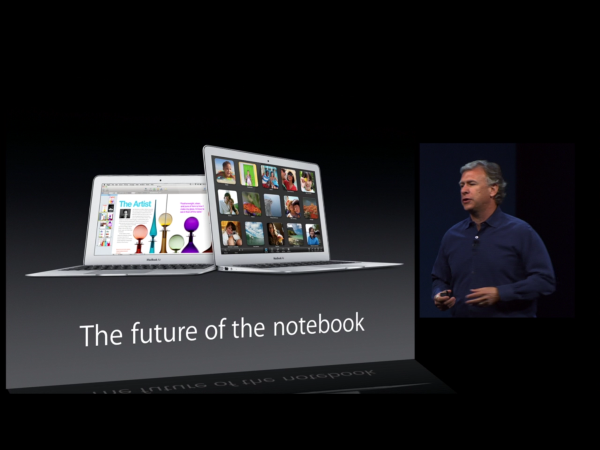
Apple Debuts New MacBook Air Without Retina Display

At its WWDC keynote this week Apple unveiled iOS 7 and OS X Mavericks that caught all the eyeballs. By contrast, Apple just launched only a brand new desktop Mac Pro and the updated MacBook Air, as well as introduced a new generation of AirPort Time Capsule.
Externally there’s no visible difference between these 2013 models and the previous MacBook Air machines. They look the same, weigh the same and have the same screens, keyboard, trackpad and ports. Besides, there are still 11″ and 13″ two versions available. What disappointed us is that the rumored Retina Display doesn’t appear on the new MacBook Air though many media and insiders predicted that Apple would launch the MacBook Air equipped with retina display. There must be some reason in it, so let’s find the answer.
 Power consumption is the primary problem
First of all, the problem is the battery life. Equipment including iPhone, iPad and MacBook Pro possess retina display only with absence of MacBook Air. According to the analysis of Sweta Dash who is the research and strategy director of HIS agency, power type should be the biggest impact factor.
“Compared with the last generation, the battery capacity of Apple’s new MacBook Air almost doubled. While in case retina display cames, the increase in battery capacity will have no effect on battery life. For an ultrathin laptop the battery itself is a redundant.” Sweta Dash said.
Performance perhaps unable to meet demand
Under this situation, the hardware condition of the MacBook Air itself is not very suitable for using a retina display either. For example, if the 13-inch retina display is used, the resolution will subsequently upgrade to 2560 x1600 which absolutely needs better graphics support. Although the integrated Intel 4000 series of MacBook Air also can drive high resolution display, the disadvantage will expose in the use of large software or games, resulting in weaker experience.
Discrete Graphics is necessary to solve the problem of display, which also involves the problem of battery life. There is no doubt that the battery capacity needs improvement. Discrete graphics plus battery need extra body space, I’m afraid the internal space of the MacBook Air is not big enough to hold the discrete graphics and battery. It makes sense in new iPad. Because of the power consumption increasing, in order to maintain 10 hours of battery life, Apple had to increase the power of the new iPad with retina display, finally giving rise to the overall thickness increased.
IGZO technology is not mature
It seems that a technology from Japan named IGZO display could solve this problem, but for now, this technique is still very immature to apply to the laptop. IGZO is the abbreviation of indium gallium zinc oxide and amorphous IGZO material is used as the channeled material in the new generation of thin film transistor technology. It is Hosono from Japan Tokyo Institute of Technology that first put forward the application of IGZO materials into TFT industry. Afterwards, Sharp Corp. firstly realizes the mass production of IGZO-TFT in Japan. At present, the material and technical patents are mainly owned by Japanese manufacturers.
There is great possibility that this technology will enable both high resolution and low power consumption, thus companies including Samsung and LG are trying hard to research and develop their own IGZO technology. While, at present, the cost is still high, so it still needs quite a long time to increase technical maturity which means a lot to Apple. If now IGZO technology is applied to MacBook Air, correspondingly the price will improve. Once equal with the MacBook Pro, it must be very detrimental to Positioning Differentiation of Apple products.
Whether retina display or not, it doesn’t make too much difference in Blu-ray playback due to Blu-ray itself has already could guarantee an HD video experience. But the precondition is to make Blu-ray Disc/ISO available on Macbook Air with MacBook Air 2013 Blu-ray Player which is the world-class first and top-notch Blu-ray Player software. As a professional media player, Mac Blu-ray Player not only plays Blu-ray movie on Mac, but also plays DVD movies, videos (1080P HD video included) and audios for people to get cinematic movie experience at home.
So, the idea is too early for those MacBook Air users looking for use of Retina display. I believe sooner or later, Apple will launch MacBook Air laptop with Retina display, but at least for now, this will not become a reality within this year basically.

1/19/2013

How to play Blu-ray Disc/ISO DVD media video on 11-inch MacBook Air by Mac Blu-ray Player

The MacBook Air family is a line of ultraportable Macintosh notebook computers created by Apple Inc. They were designed to balance performance and portability with extremely low weight and thickness. The MacBook Air is available in two sizes: 11.6 inch and 13.3 inch whose measurement refers to the diagonal display size.  The 11" model offers reduced cost, weight, battery life, and performance relative to the 13" model. All MacBook Air models currently use SSD storage and Intel Core i5 and i7 CPUs, with a choise of different specifications. However, the gorgeous laptop MacBook Air cannot play Blu-ray Disc still, so its fans and lovers want to find a way to enjoy Blu-ray film their beloved MacBook Air. Here I cannot help recommending a fabulous Blu-ray Player software for MacBook Air - the MacBook Air Blu-ray Player.

MacBook Air Blu-ray Player (alias Mac Blu-ray Player) is known as the first Blu-ray Player for all Mac models, iMac, MacBook Air, Pro, Mac mini, Mac Pro. It can perfectly play Blu-ray Disc, Blu-ray ISO file, as well as BDMV folder on Mac operating system. High resolution is up to 1080p and DTS 5.1 is supported. Fast speed, stable system, friendly functions, SNS connection, and other great functions make MacBook Air Blu-ray Player the best of its class.
Here will show the easy use of MacBook Air Blu-ray Player on 11" MacBook Air step by step.

Note:
1)MacBook Air: 11" MacBook Air with 1.7GHz dual-core Intel Core i5 processor, 64GB or 128GB flash storage
2) Make sure you MacBook Air is connected to the Internet.

Step 1: You should get a Blu-ray drive.
You can buy one from stores or amazon online whose USB should be above 2.0.

Step 2: Connect the Blu-ray drive to the 11" MacBook Air via the USB interface.

Step 3: Get the MacBook Air Blu-ray Player
You can free download MacBook Air Blu-ray Player from http://www.macblurayplayer.com/user/download/Mac_Bluray_Player.dmg.
Or Buy its lifetime version from Mac Blu-ray Player official website

Step 4: Install and run MacBook Air Blu-ray Player software on your MacBook Air.

Step 5: Play Blu-ray Disc, Blu-ray ISO file, BDMV folder on MacBook Air
Insert your BD into the Blu-ray driver and MacBook Air Blu-ray Player software will load and play the BD automatically.

Otherwise, you can press "Open Disc" button to select BDMV folder or press "Open File" button to choose Blu-ray ISO file to play.

Finally, you can have a great Blu-ray fun on your MacBook Air.
 
© Mac--leaders
All rights reserved